
SeoSpidie
See your site the way search engines do

Paste your page's HTML or plain content. This checks it against the structural patterns AI-generated answers (Google AI Overviews, and similar) tend to pull from: a direct up-front answer, clear structure, and scannable lists.
This is a heuristic structural check, not a guarantee of inclusion in any AI answer — no tool can promise that.
AI Overviews are AI-generated summaries that Google shows at the top of some search results, with links to the sources it used. Similar answers appear in other AI tools. Being one of the cited sources can bring visibility even when fewer people scroll down to the regular results.
Answer engines favour content that is easy to extract: a clear, direct answer near the start, logical headings, short paragraphs, and lists or steps where they fit. Pages that bury the answer or wander between topics are harder to quote accurately.
Nobody can guarantee inclusion — Google chooses sources based on many signals, including relevance and trust. Good structure simply removes avoidable obstacles.
Google's AI Overviews summarise answers at the top of the results page and cite the sources they draw from. Pages that answer the question directly, early, and in a clearly structured way are easier for the system to quote — and a citation there is visible before any blue link.
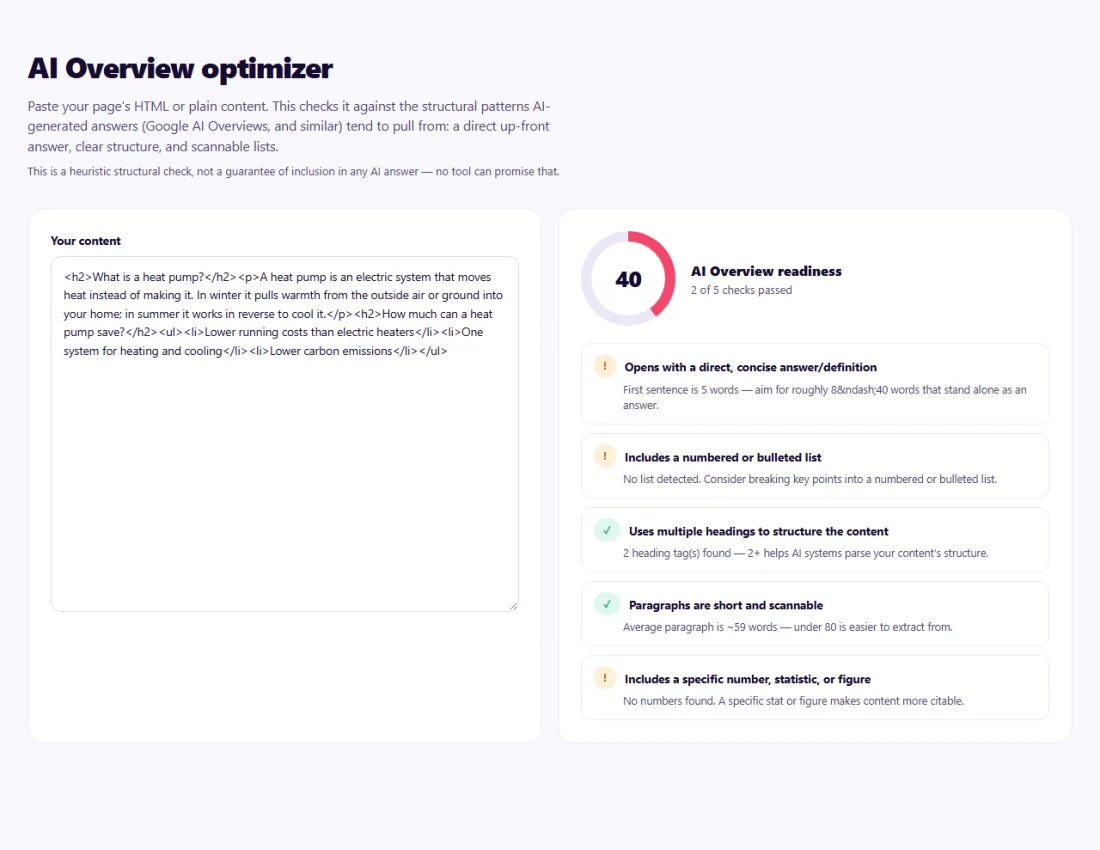
Work through the failed checks one by one: move the direct answer to the top, split long sentences, add a list where steps are described, and make headings match the questions people ask. Re-run until the signals pass.
Optimise one question per section rather than rewriting whole articles at once.
A visa consultancy in Sydney had long, story-style answers on its FAQ page and was rarely cited in AI-generated answers.
Running the main answers through the AI Overview Optimizer showed missing direct answers and very long sentences. The team rewrote each answer to start with one or two plain sentences — for example the typical processing time — followed by details and a short checklist. The checks turned green, and the page became easier for readers and AI tools to quote.
No tool can. Google decides when to show an Overview and which pages to cite. This checker improves the structural signals you control so your content is a better candidate.
Usually not. Tightening the opening answer and adding clear structure to the key section is normally enough, and it helps human readers too.
The structure checks (answer position, lists, headings) work in any language; the sentence-length guidance is tuned for English.
Search your target questions and look at the source links in the AI Overview. Search Console includes this traffic in its Web search data.
No special markup is required. Clear structure, accurate content and normal SEO best practices matter most.
Yes. AI Overview Optimizer runs entirely in your browser — nothing you type or paste is sent to or stored by SeoSpidie.
Yes. The AI Overview Optimizer is free to use with no sign-up. SeoSpidie is supported by advertising.
 GEO CheckerAnalyze geographic and location-related SEO signals.
 Featured Snippet OptimizerStructure your content for better featured snippet opportunities.
 Blog Topic GeneratorGenerate useful, search-focused blog topic ideas.
 Discover Headline GeneratorCreate compelling headlines designed for discovery traffic.


