
Free SEO extension 🔥
⮓ Omnichannel Commerce Tool

Multi-Channel Merchant Feed Generator

Paste your store URL and we'll crawl your product pages, extract titles, prices, images and availability, and build a correctly mapped feed for every channel you pick — no spreadsheets, no manual mapping.

Works with
  • Google Merchant Center
  • Bing
  • Facebook
  • Instagram
  • Pinterest
  • TikTok
  • Snapchat

Need just one platform? The standalone Google Merchant, Facebook and Pinterest tools are still available.

🔗
✔Auto-detect product pages ✔Per-channel spec mapping ✔Export XML / CSV / TSV

Only pages with Product/Offer structured data or a detectable price are kept. About, Contact, blog and category pages are skipped automatically.

Choose your channels

Select where you want to sell — we generate a correctly mapped feed for each.

How it works

1🔗
Enter your URL
Paste your store homepage or collection URL.
2🕷️
We crawl products
Our crawler follows internal links and extracts product data.
3🧩
Map to every spec
Fields map automatically to each channel's feed format.
4⬇️
Export the feed
One crawl, exported for every sales channel you selected.

What you get

📘
Catalog-ready output
Feeds follow each channel's own product spec, ready for upload.
🤖
Automatic extraction
Title, description, price, availability, brand and images pulled from each page.
📄
XML, CSV or TSV
Pick the file format your channel prefers and download every feed at once.
🛡️
Error flags
Products missing an image or out of stock are marked "Check" before you upload.

Works with your platform

ShopifyWooCommerceMagentoBigCommerceWixSquarespacePrestaShopCustom HTML

Frequently Asked Questions

What is the Multi-Channel Merchant Feed Generator and how does it work? +

It crawls your store, extracts each product's title, price, availability and images from structured data or on-page signals, then formats everything into feed files that match each channel's own product feed spec — from a single crawl.

How do I use the Multi-Channel Merchant Feed Generator? +

Paste your store URL, pick your channels and click "Crawl & Build Feed." Review the products in the preview, switch between channel tabs and XML/CSV/TSV, then copy the output or download every selected feed at once.

Is the Multi-Channel Merchant Feed Generator completely free? +

Yes! Like all tools on SeoSpidie, this generator is 100% free to use. There are no paywalls, no login requirements; fair-use limits keep the service fast for everyone.

Is my data safe and secure? +

The generator only reads publicly accessible product data to build your feed. We don't store your catalog, track your internal links, or keep a database of your reports.
What is a multi-channel product feed?

Every sales channel — Google Merchant Center, Facebook and Instagram, Pinterest, Microsoft, TikTok and others — wants a product feed, but each one names its columns and formats its values slightly differently. Maintaining separate feeds by hand quickly leads to mismatched prices and missing products.

A multi-channel approach collects your product data once and maps it into the format each channel expects. One crawl of your store produces several ready-to-upload files.

Consistent product IDs across channels also make reporting easier: the same product can be compared across every place you sell.

Why use the Multi-Channel Feed Generator?

Selling on several channels usually means maintaining several feeds in slightly different formats. Crawling your store once and exporting each channel's format keeps product data identical everywhere.

How to use it

  1. Enter your store URL and let the tool collect your products.
  2. Choose the channels you sell on.
  3. Download each feed file and upload it in that channel's catalogue manager.

Tips for better results

  • Fix data problems once at the source — your product pages — then regenerate.
  • Check each channel's image and title requirements; they differ.
  • Validate the Google feed before uploading it.

Step by step, with screenshots

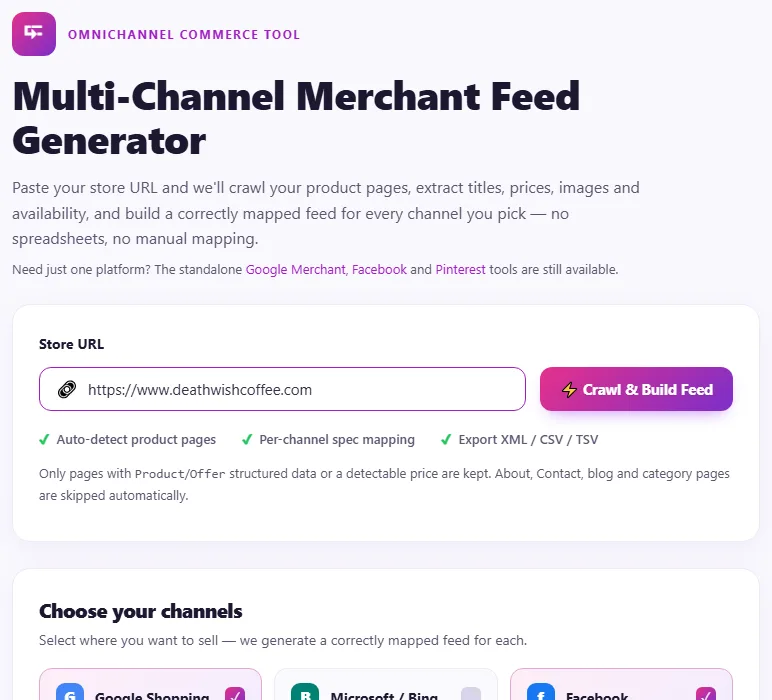
  1. 1Enter your store's address.
    Step 1: Enter your store's address.
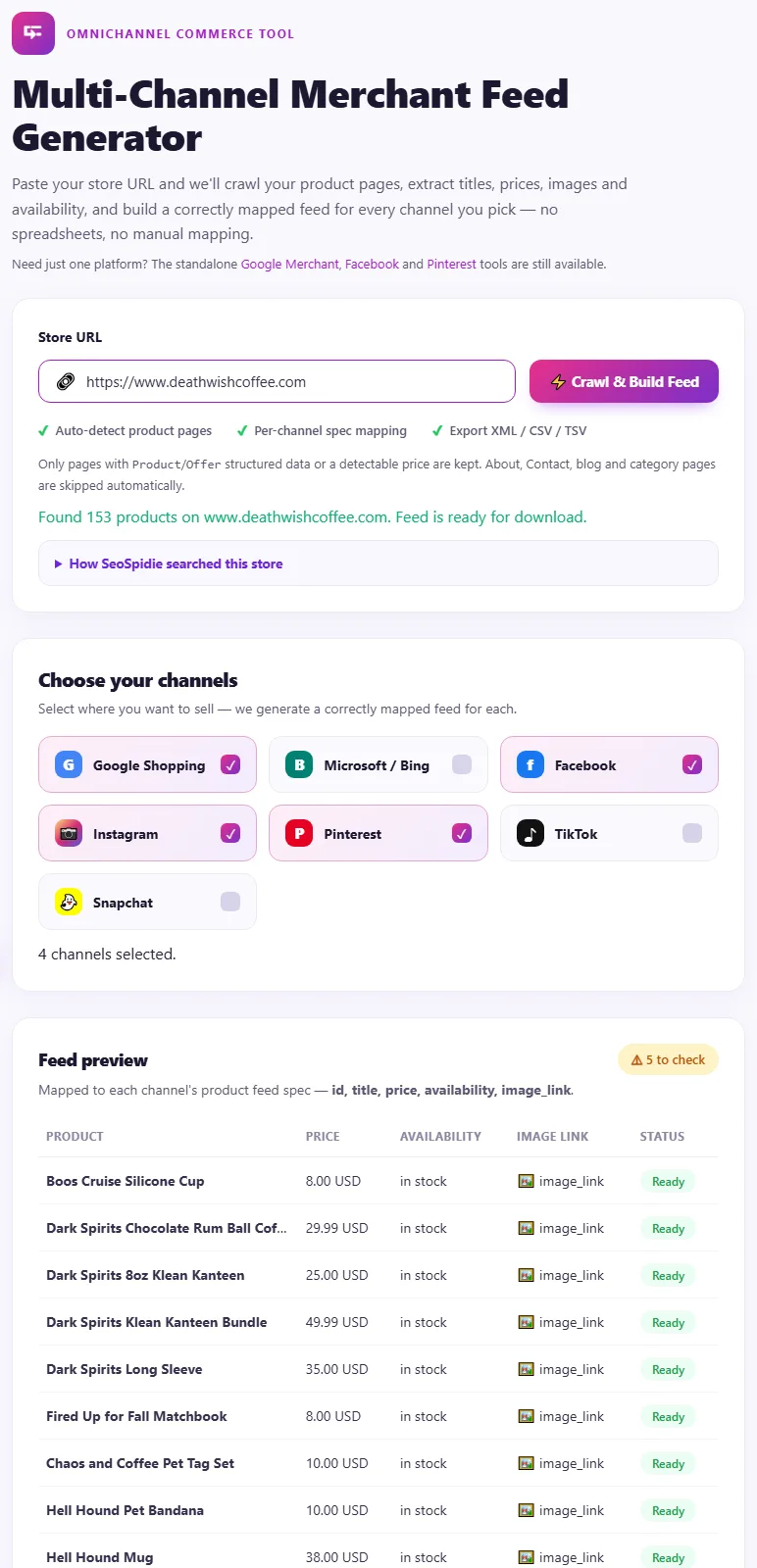
  2. 2Products are collected once and mapped to a feed for each channel you sell on.
    Step 2: Products are collected once and mapped to a feed for each channel you sell on.

Features of the Multi-Channel Feed Generator

  • One crawl, many feeds. Collect products once and export for several channels.
  • Automatic mapping. Fields are mapped to each channel's format.
  • Product data from your pages. Titles, prices, images and availability.
  • No spreadsheets. No manual column mapping.

Who is it for?

  • Growing stores: expand to new channels quickly.
  • Agencies: set up several channels for a client at once.
  • Marketplace sellers: keep listings consistent.
  • Custom-built shops: get feeds without plugins.

Understanding your results

Download each channel's file and upload it in that channel's catalogue manager. Problems shared by every channel — missing images or prices — come from your product pages, so fix them at the source.

Refresh all feeds together after price or stock changes.

Example: one store, four channels

A sports nutrition brand in Spain sold through its own website and wanted to list products on Google, Facebook, Pinterest and Microsoft at the same time.

The multi-channel feed generator collected the products once and produced a file for each channel with the right columns. Using the same product IDs everywhere, the brand could compare which products sold best on each channel and refreshed all four feeds together whenever prices changed.

Common mistakes to avoid

  • Different IDs for the same product on different channels.
  • Updating one channel and forgetting the others.
  • Ignoring channel-specific requirements such as image size.
  • Uploading feeds without reviewing products first.

More questions about the Multi-Channel Feed Generator

Why do channels need different feeds?

Each channel names its columns and formats values slightly differently, even when the product data is the same.

Should product IDs match across channels?

Yes. The same ID everywhere makes reporting and troubleshooting much easier.