
SeoSpidie
See your site the way search engines do

Write one template with a {{variable}} placeholder, list your variable values, and bulk-generate a title, meta description, H1 and URL slug for every page — export as CSV to hand to your CMS or dev team.
Programmatic SEO means creating many pages from one template and a list of values — for example, a page for each city you serve or each product model you support. Each page targets a specific search, and the template keeps titles, headings and URLs consistent.
Done well, it lets a business answer hundreds of specific searches with useful pages. Done badly, it produces near-identical pages where only one word changes, which Google treats as low-quality or doorway pages.
The planning stage — titles, descriptions, H1s and URLs for every variation — is where a generator saves the most time. The content of each page still needs genuine, unique value.
Programmatic SEO creates many pages from one template and a dataset — "plumbers in {city}" or "{tool} alternatives". Planning the titles, H1s and slugs in bulk first makes it easy to spot duplicates and thin variations before anything is built.
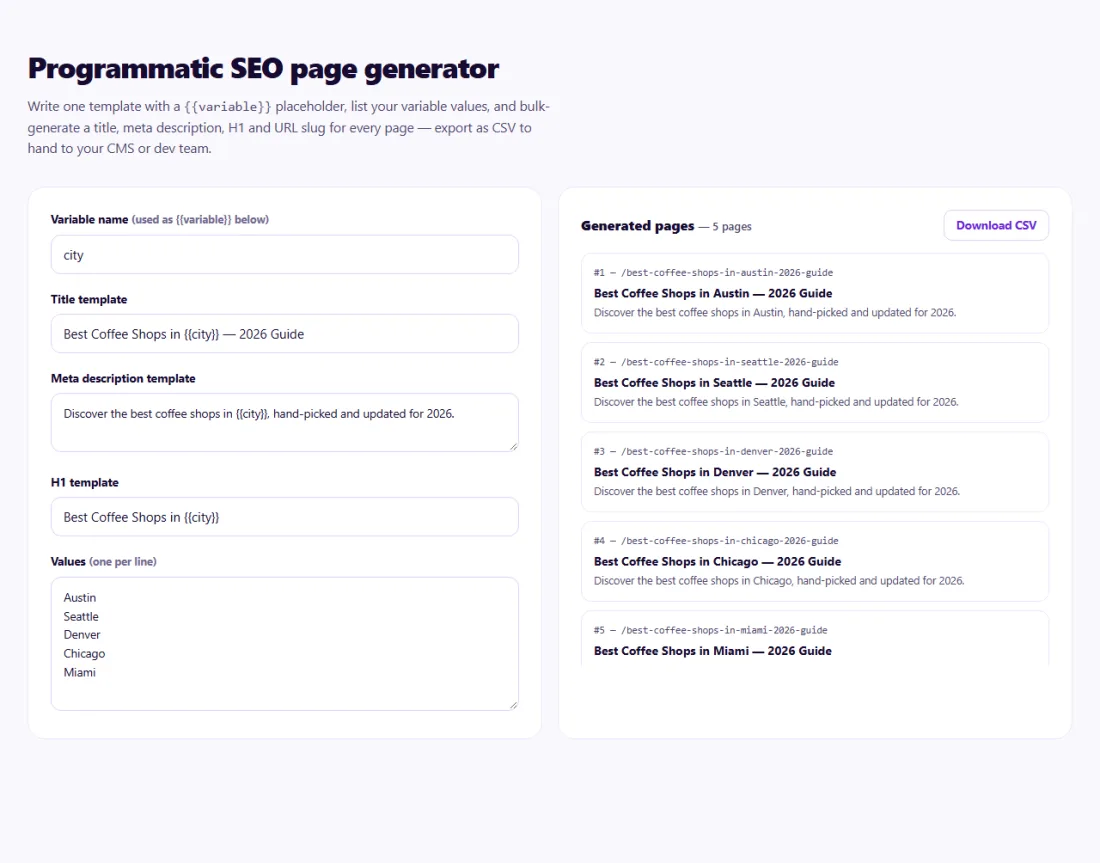
Review the generated list for awkward phrasing, duplicate titles and overly long fields before using it. Each row should describe a page that deserves to exist.
Start with a small set, check indexing and performance, then expand.
A carpet-cleaning company served twelve towns around Leeds and wanted a page for each, but only where it had real teams.
In the Programmatic SEO Generator the owner wrote templates such as "Carpet Cleaning in {town} – Same-Week Appointments" and listed the twelve towns. The CSV gave a title, description, H1 and slug for each page. The team then added genuinely local content to each — the local team, recent jobs and reviews from that town — instead of publishing identical pages.
Not in itself. Large numbers of low-value pages made mainly for search engines are; pages with genuinely useful data for each variation are fine.
As many as your template needs; every column becomes a {placeholder}.
It generates the metadata plan as CSV. You import it into your CMS or site generator.
Only as many as you have genuinely useful, unique information for. Start small and expand once pages are indexed and performing.
Give every page unique, helpful content — local details, data, examples — not just a swapped keyword.
Yes. Programmatic SEO Page Generator runs entirely in your browser — nothing you type or paste is sent to or stored by SeoSpidie.
Yes. The Programmatic SEO Page Generator is free to use with no sign-up. SeoSpidie is supported by advertising.
 Bulk SEO Audit BetaAudit up to 100 URLs at once and export the results to Excel or CSV.
 Competitor ComparisonCompare SEO signals and website performance against competitors.
 Bulk Indexability CheckerCheck indexability signals across multiple URLs.
 Robots.txt GeneratorGenerate a robots.txt file for search engine crawlers.



